
Logo

Production Resources & Tools

Put the correct tool, its remaining life and complete history into every operation.

Manage cutting tools, inserts, holders, fixtures, molds and measuring equipment from operation assignment and stock request through usage, return, performance and cost.

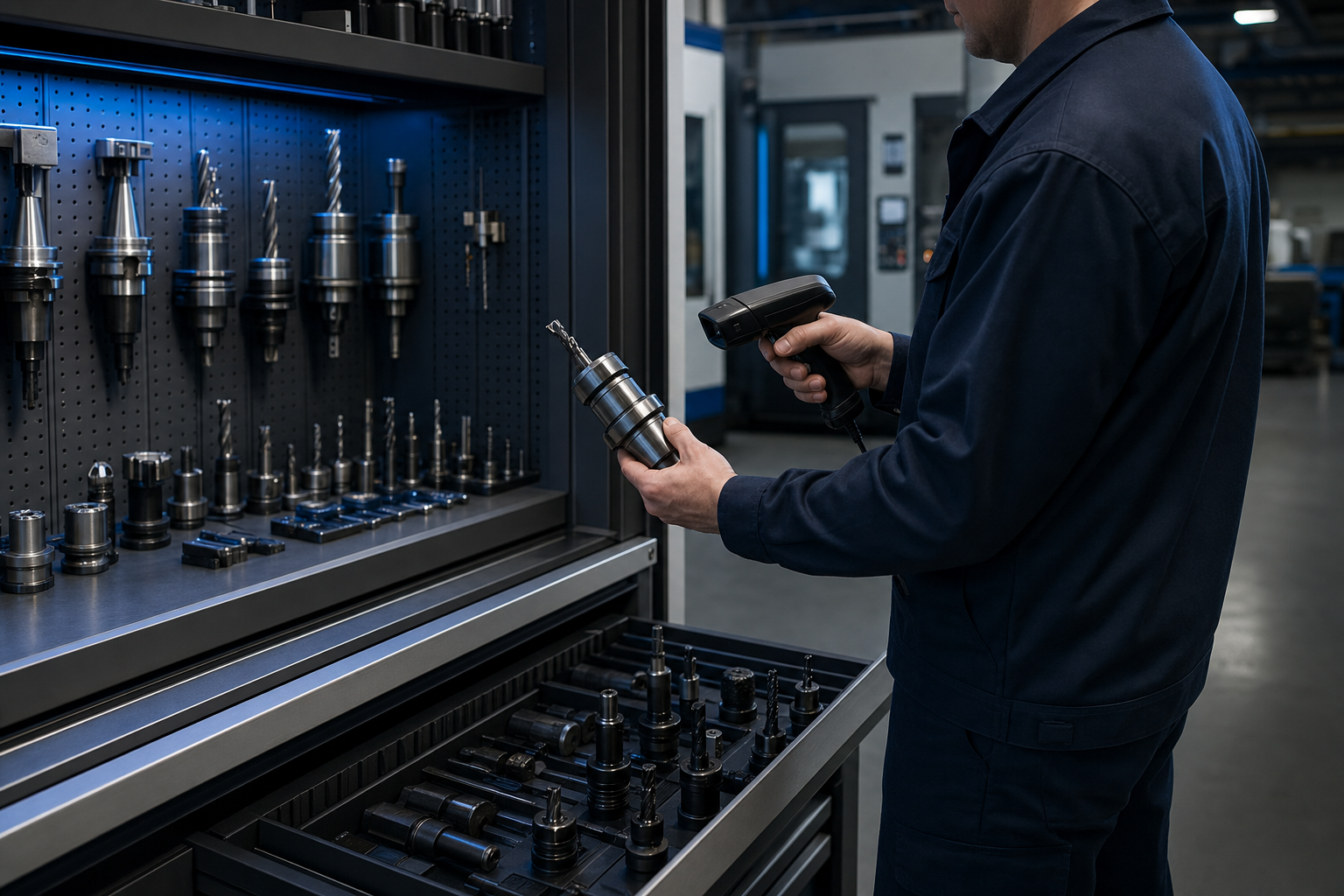
An operator scanning a precision cutting tool in a digitally managed manufacturing tool crib
ACTIVE OPERATION
Required resource set readyWO-2048 · OP 40 · CNC-07
TOOL IDENTITY
Correct tool verifiedTL-014 · Holder TH-204
TOOL-LIFE ASSISTANTThe milling tool is approaching its defined life limit
Plan tool change

CONNECTED RESOURCE LIFECYCLE

From operation requirement to optimized tool cost

The work order, operation, machine, resource identity, user, stock movement and life consumption remain connected through the complete tool lifecycle.

  1. 01

    Assign the resource

    Define cutting tools, holders, fixtures, molds and measuring equipment required for each product and operation.

  2. 02

    Request and deliver

    Create the request from the work order and verify the correct tool during barcode or digital handoff.

  3. 03

    Track use and life

    Calculate life from time, machining duration, output, cycle count and operation-based usage while production runs.

  4. 04

    Return and improve

    Record condition and return route, then analyze history, performance, consumption and cost for continuous improvement.

ONE CONNECTED RESOURCE WORKSPACE

Keep the operation, tool identity and remaining life on the same screen.

Turn production resources from anonymous stock items into controlled operational assets linked to quality, cycle time and cost.

01.

Load the correct resource set for every operation

When the work order starts, show the operator only the cutting tool, holder, fixture, mold or measuring equipment approved for that operation.

Operation resource setWO-2048 · OP 40 · CNC-07
ACTIVE SET
Milling toolTL-014 · REV 06
Matched
Tool holderTH-204 · REV 06
Matched
FixtureFX-081 · REV 06
Matched
All resources ready3 / 3
Tool set verified for operation
78%LIFE CONSUMED
TL-014 · 03:42
02.

Change the tool because its life says so

Track remaining life by usage time, machining duration, production quantity, cycle count or operation and warn before wear affects quality.

01Operator request
02Tool crib
03NFC handoff
04Return
03.

Connect request, handoff, use and return

Move the tool between operator, tool crib, machine and return inspection with barcode, NFC or digital signature preserving every owner and event.

PRODUCTION RESOURCES, CONTROLLED

Every tool capability, without the spreadsheet trail.

Explore one part of the resource lifecycle at a time; stock, operation, life, user, history and cost remain attached to the same digital asset.

01

Make the correct resource part of the production standard

Digitally define and connect cutting tools, inserts, holders, fixtures, molds, measuring equipment and operation-specific assets before work begins.

OPERATION RESOURCE SETWO-2048 · OP 40
Milling toolTL-014 · CNC-07
Matched
Tool holderTH-204 · CNC-07
Matched
FixtureFX-081 · CNC-07
Matched
Correct tool use verified

Manage cutting tools, inserts, holders, fixtures, molds, measuring equipment and other operation-specific production assets.

RESOURCE-MANAGEMENT OUTCOMES

Tools that stay ready, traceable and cost controlled.

Digital resource management creates value when the correct tool reaches the operation, its life is visible and every use improves the cost picture.

AssignVerifyProduce
01

Correct setup at every operation

Operators see and verify the approved tool, holder and fixture set attached to the active work order.

ONEOne live tool record
02

Planned tool changes

Usage, machining time, quantity and cycle signals reveal remaining life before wear becomes a stop or quality issue.

Resource lifecycle
01020304
03

Complete lifecycle cost control

Stock, handoff, machine use, operator, return, maintenance, consumption and cost remain traceable for every resource.